.png?width=200&height=36&name=logo_sellrapido%20(2).png)
Set up the SellRapido app on Shopify
1. Log in with your administrator credentials athttps://admin.shopify.com
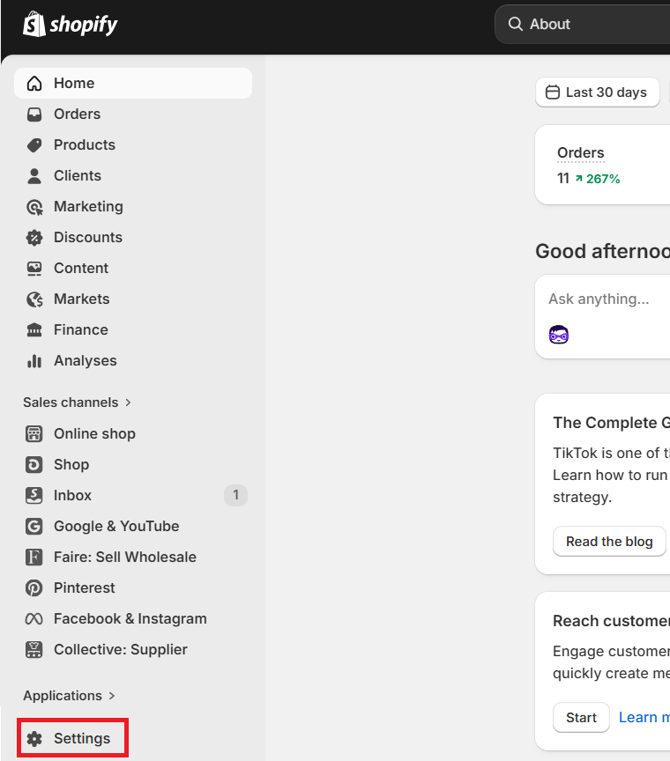
2. Click Settings in the bottom-left corner of the page
 |
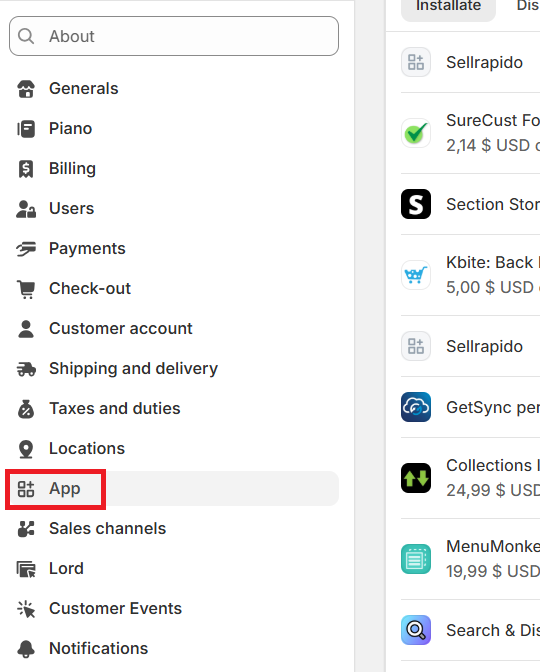
3. Click APP in the sidebar
 |
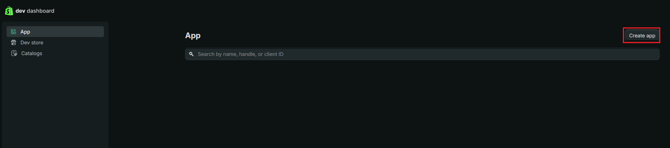
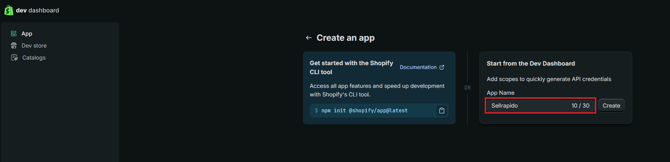
4. Then click the button Develop apps in the Dev Dashboard
 |
 |
 |
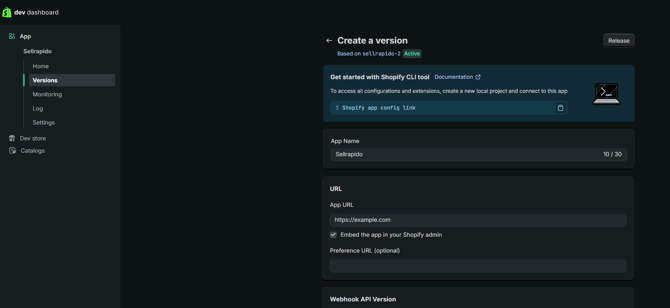 |
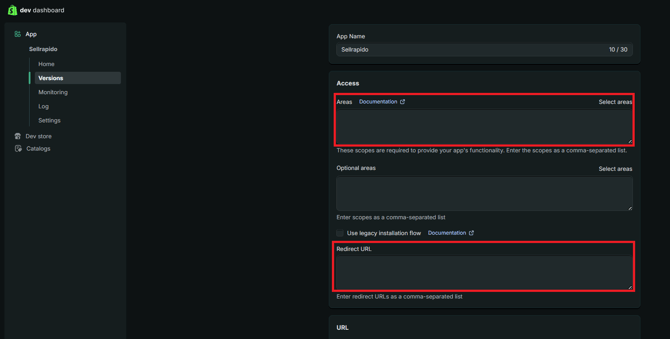
Areas/Scopes:
read_customers,write_customers,write_inventory,read_inventory,write_locations,read_locations,read_merchant_managed_fulfillment_orders,write_merchant_managed_fulfillment_orders,read_orders,write_orders,read_products,write_products,customer_read_orders,customer_write_orders
Redirect URls:
https://app.sellrapido.com/sr_company_ws/marketplace/shopify/settoken
 |
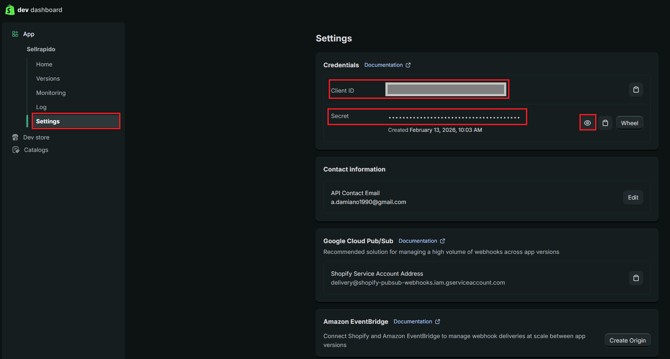
Obtain the access keys to enter into SellRapido
1. In the left menu, click Settings and make sure to copy the Client ID and Secret (to reveal the Secret, click the eye icon to the left of the field)
 |
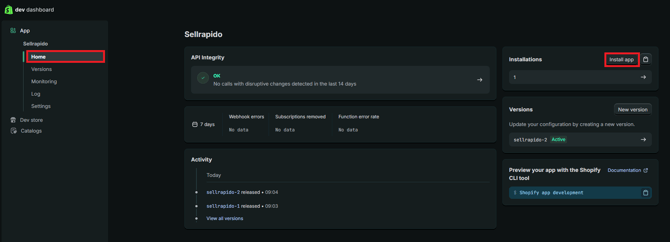
2. To install the app, click the Home button in the left menu bar, then click Install in the top-right menu bar
 |
3. Select the Shopify store where you want to install the app you created
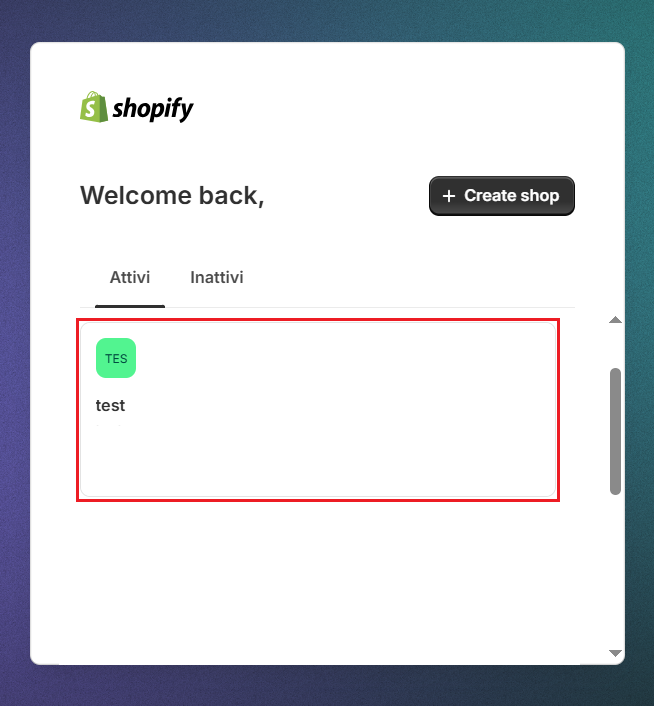 |
4. On the next screen, click Install
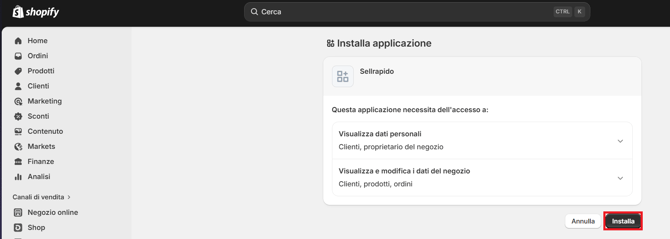 |
Connect Shopify to SellRapido
1. Log in to your SellRapido account to add a new Shopify credential, then go to Settings > Marketplace Credentials > Shopify

|
2. Click the “+” sign to add the credential
 |
3. Enter the site information:
- Website: full Shopify address (including http:// or https://), not the site URL
so an address like this: https://{shop}.myshopify.com - Secret
- Client ID
(see step 1 in the Obtain the access keys section)
Do NOT enter the "Token", leave the field blank
Then click Save
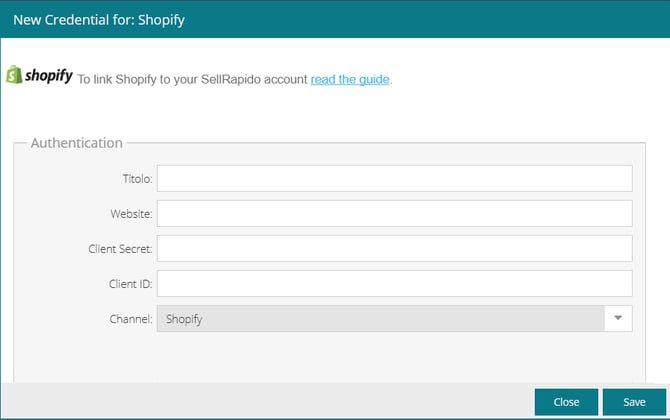
|
Notes on publishing with Shopify
- Product and listing management
Shopify allows a maximum of one product creation/edit/deletion per second (theoretically, this would be 2 products per second, but since additional operations have to be carried out to obtain publication, no more than one product can actually be published per second).
So remember that it takes an hour to create/edit 3,600 listings. - Editing variants
Shopify allows the publication/editing of a maximum of 100 variants per day, at which point no updates can be published until the following day.
This in fact means that in almost all situations, variants are not usable. Therefore, unless you have the situation completely under control, we recommend that you publish each variant as a stand-alone product. - Tags and store-categories
SellRapido associates its internally set store-categories as Shopify “tags”. This means that it will be up to the user to create smart Shopify collections based on the tags created by SellRapido.
For example: if a product in SellRapido is associated with the store-categories "Home", "Kitchen" and "Cookware", SellRapido will publish the product associated with the Shopify tags "Home", "Kitchen" and "Cookware". By creating a smart collection called "Housewares" in Shopify based on the presence of the tags "Home", "Kitchen" and "Cookware", the product in question will automatically appear in the Shopify "Housewares" collection.
The Shopify tags that are published are:
1. Store categories in the category map (Settings > Categories)
2. the brand
3. product attribute values (for example, if there is a “Colour” attribute with a “White” value, then “White” is published) - Shipping costs
Shopify's structure does not allow a shipping method to be associated with an individual product: the shipping costs indicated in SellRapido are only used to define the final sale price. The actual shipping methods (and prices) will be decided within Shopify based on its own rules (weight, price, destination).