![logo_sellrapido_ottanio (1)-1.png]](https://wiki.sellrapido.com/hs-fs/hubfs/logo_sellrapido_ottanio%20(1)-1.png?height=40&name=logo_sellrapido_ottanio%20(1)-1.png)
SellRapido allows you to export the total turnover per day for the filling in of the payments register.
To perform this export:
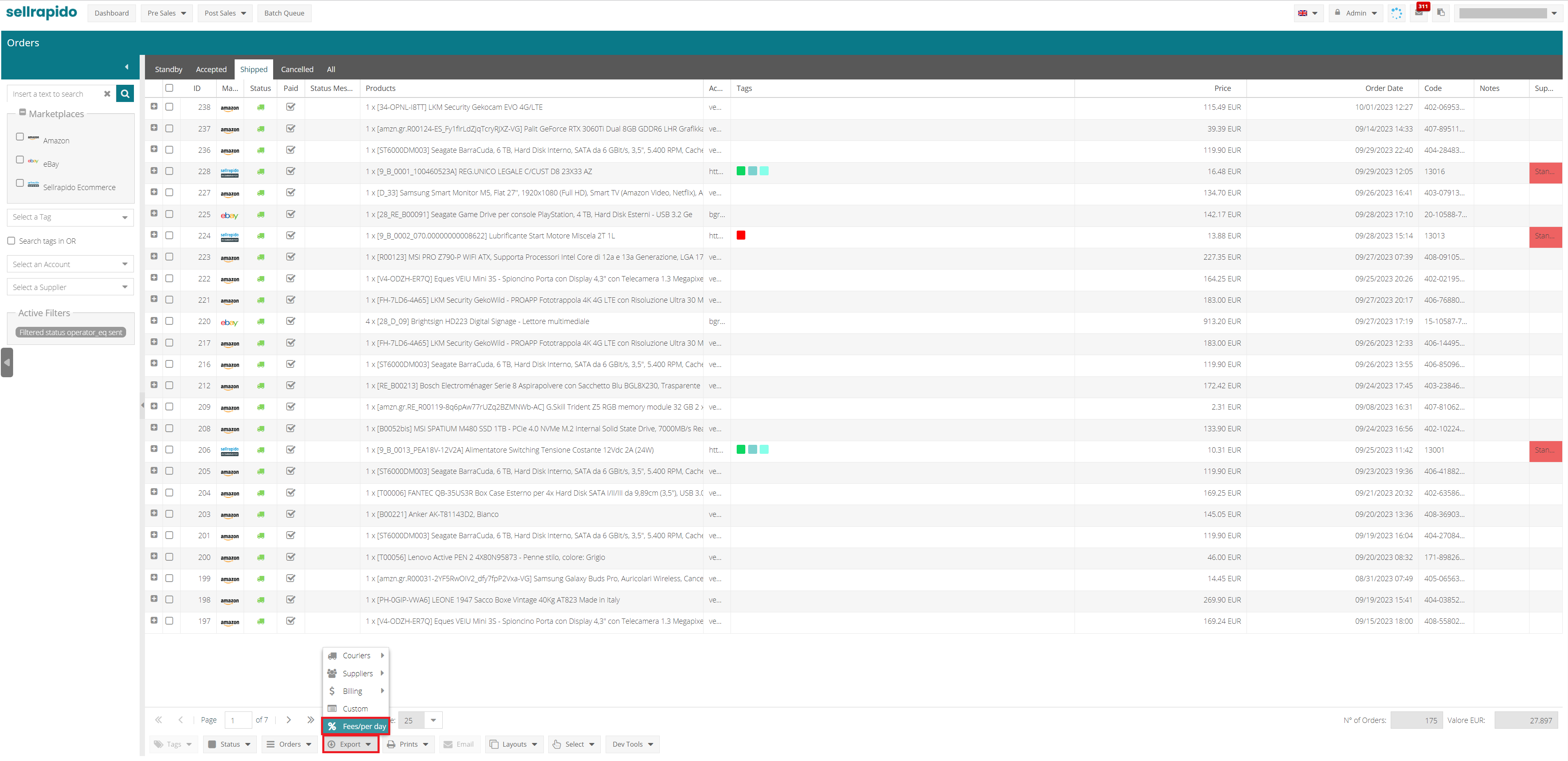
1. Go to After Sales > Orders > Export > % fees/ per day
 |
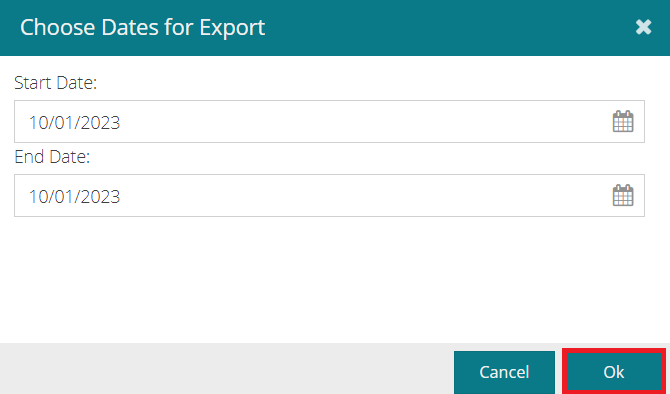
2. Select a period and click on OK.
 |
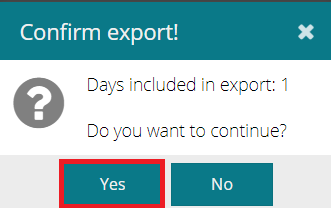
3. You will be asked to confirm the number of days for which the data will be exported: Click on Yes.
A .csv file will be exported for the selected period: each row in the file shows the date and total revenue for the day.
N.B. Orders with Cancelled status are not counted.
 |
Warning: in order not to export the totals of already invoiced orders , it is important to mark them as invoiced.
To do this, put a flag in the Billed box in the Payment section of the order tab.
 |
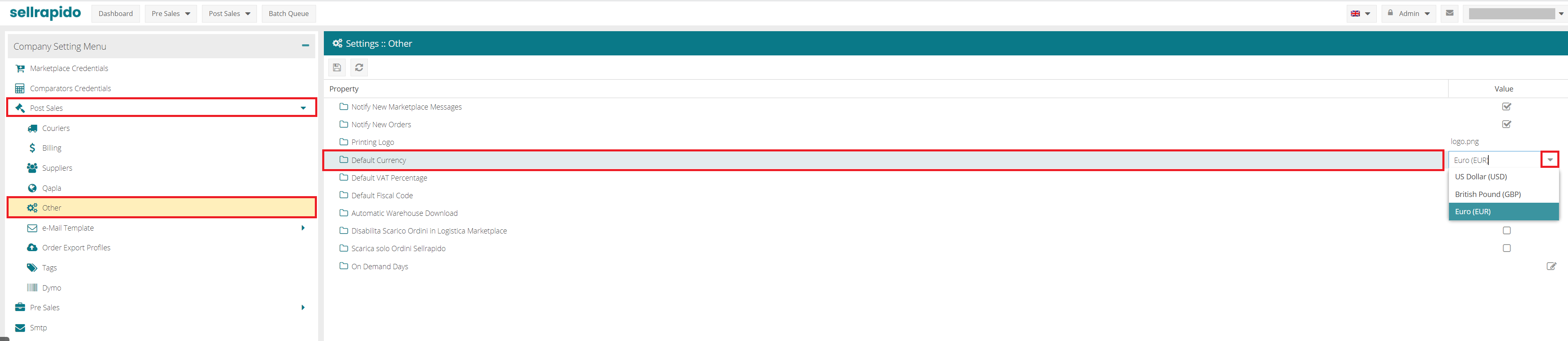
N.B. amounts in currencies other than euro are converted to your default currency in Settings > Post Sales > Other > Default Currency.
 |