Bricobravo
Get the access keys to be entered in SellRapido
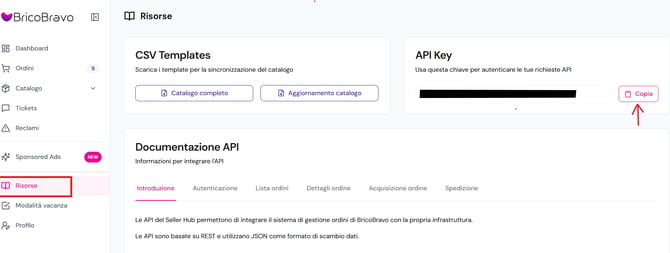
1. Log in to the Bricobravo back office and click on Risorse.
2. Here you'll find the API Key data.
Link Bricobravo to SellRapido
After obtaining the access keys, follow these steps to link your Bricobravo account to SellRapido:
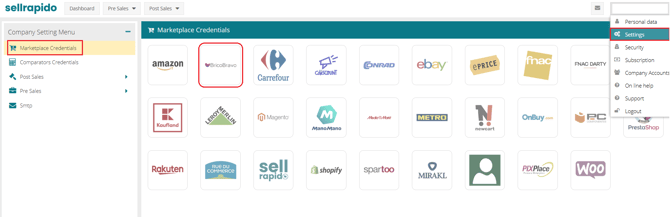
1. Log in to your SellRapido account and go to Settings > Marketplace Credentials > Bricobravo.
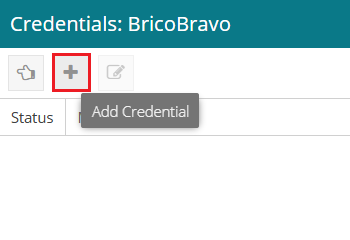
2. Click on the “+” sign to add the credential.
3. Enter the API Key of your Bricobravo account (see point 2 of the Get the access keys to be entered in SellRapido):
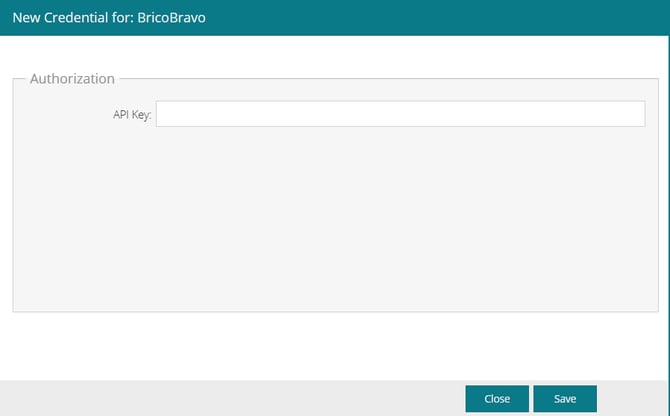
Click Save.
Peculiarities of publishing settings
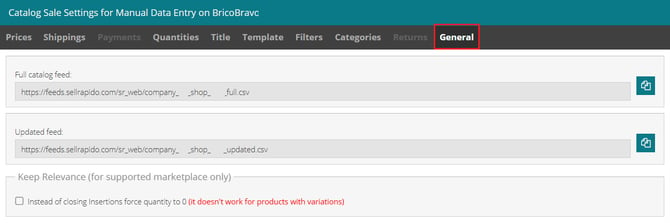
1. Products are published via feeds, one for full daily updates and one for hourly updates.
They are found in the General tab of Settings
2. Bricobravo doesn't have a detailed category mapping, as other marketplaces do; instead, a general mapping is available.
The categories are therefore not public and cannot be managed directly by sellers.
Product classification is performed automatically by the marketplace based on the product data provided.
3. All categories must be mapped to "Altro" (Other)
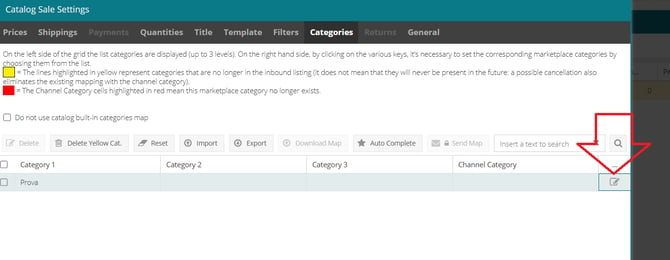
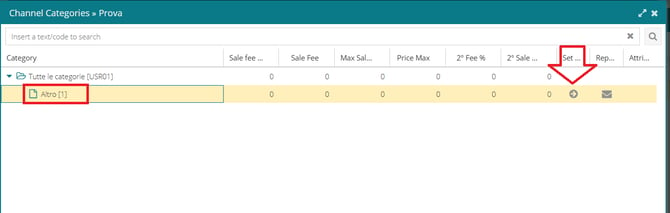
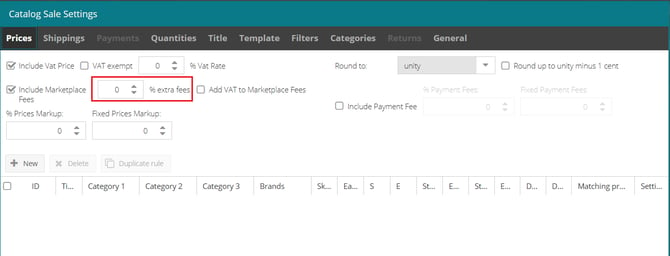
4. Commissions must be managed using the "% extra fees" field.