Kaufland
You can publish in the following channels:
Kaufland Germany
Kaufland France
Kaufland Italy
Kaufland Slovakia
Kaufland Czech Republic
Kaufland Poland
Kaufland Austria
(Just enter a single login for all these countries)
To configure your Kaufland account in SellRapido, follow these steps:
Get the access keys to be entered in SellRapido
1. Access the Kaufland.de back office from this link.
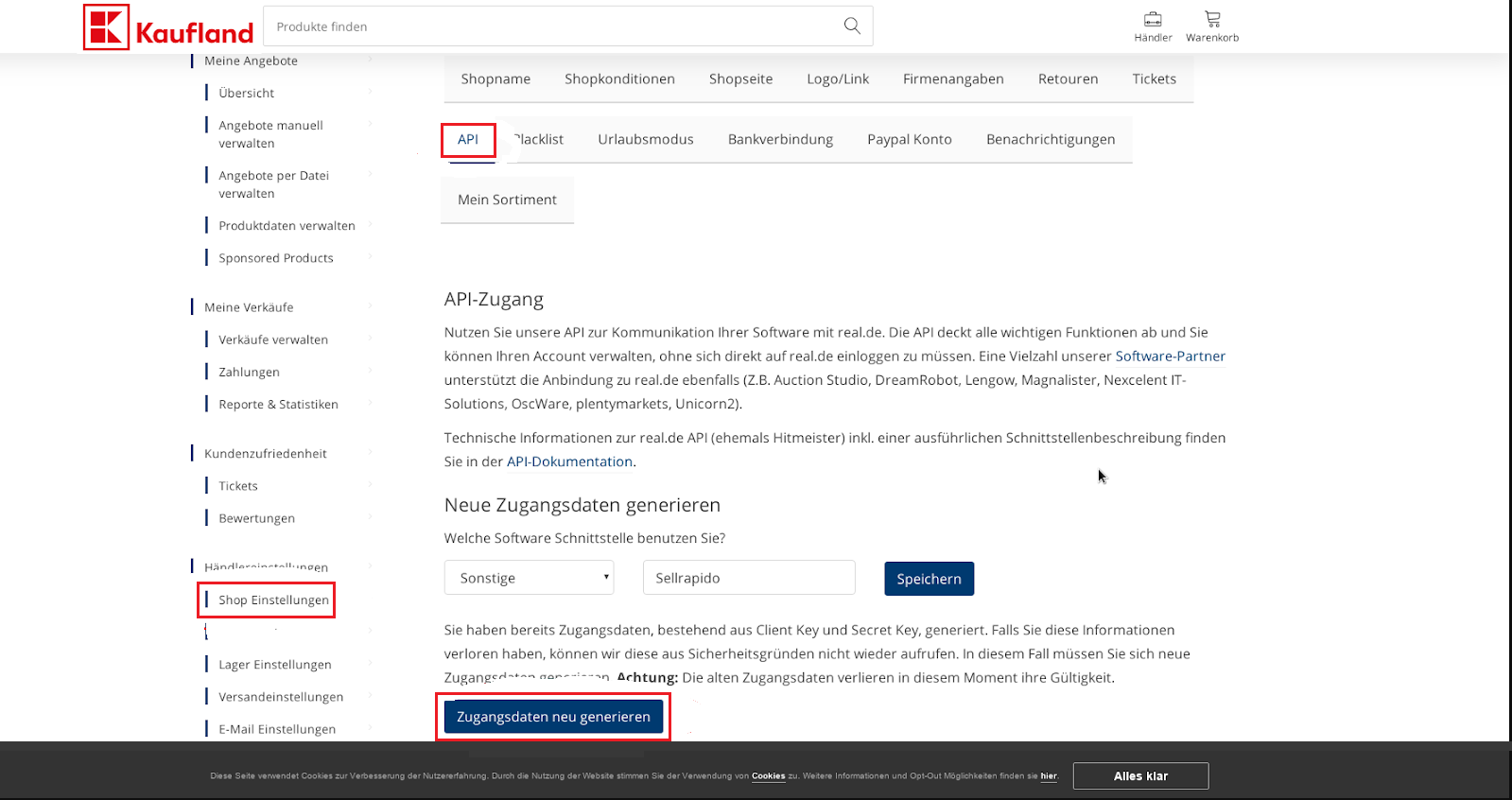
Click on Shop Einstellungen > API > Zugangsdaten neu generieren
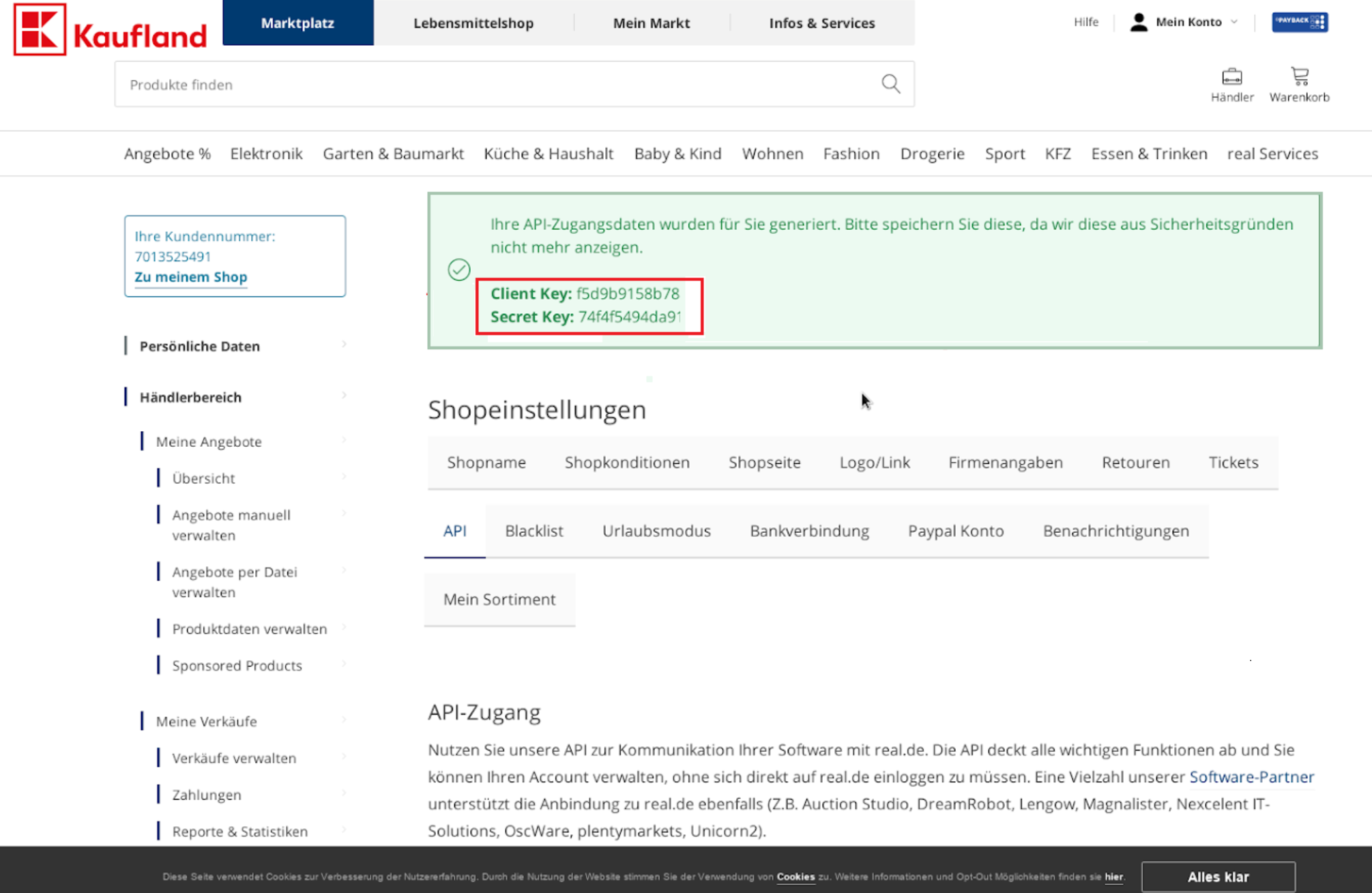
2. You will be redirected to a page containing your access keys (Client Key and Secret Key). These keys must then be entered in SellRapido to complete the Kaufland configuration.
Link Kaufland to SellRapido
After obtaining the access keys, follow these steps to link your Kaufland account to SellRapido:
1. Log in to your SellRapido account and go to Settings > Marketplace Credentials > Kaufland.

2. Click on the “+” sign to add the credential.

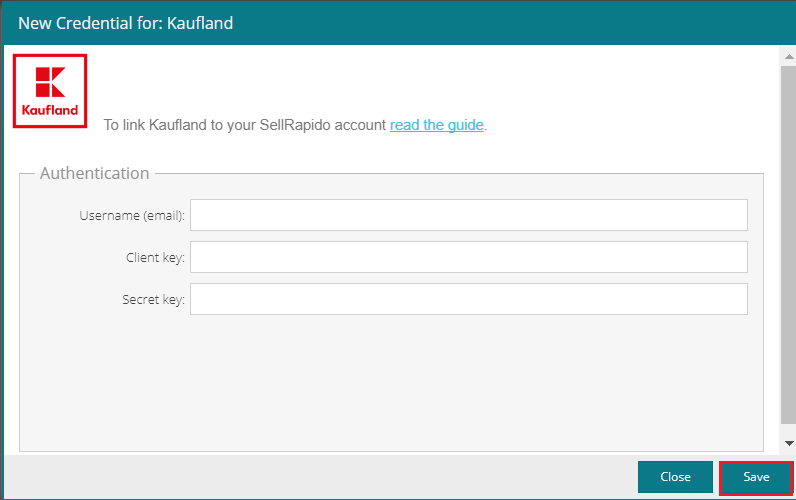
3. Enter your Kaufland account details:
- Username (email address)
- Client key (see step 1 of the section Get the access keys to be entered in SellRapido)
- Secret key (see step 1 of the section Get the access keys to be entered in SellRapido)
Click on Save